Public Wi-Fi Security: Essential Tips for Android Users on the Go
Welcome to Shine.biz.id, a leading information technology portal that thoroughly explores the digital world, from technical guides to the history of technology that shapes today's innovations. Through https://www.shine.biz.id/, we provide comprehensive Android tutorials, Termux guides from beginner to advanced, as well as practical Blogger and website development tutorials. Whether you're a beginner developer looking to build your first website or a tech enthusiast exploring the evolutionary history of operating systems, we provide in-depth and easy-to-apply articles. Improve your IT skills and make this site your primary reference for your digital journey. Happy reading!
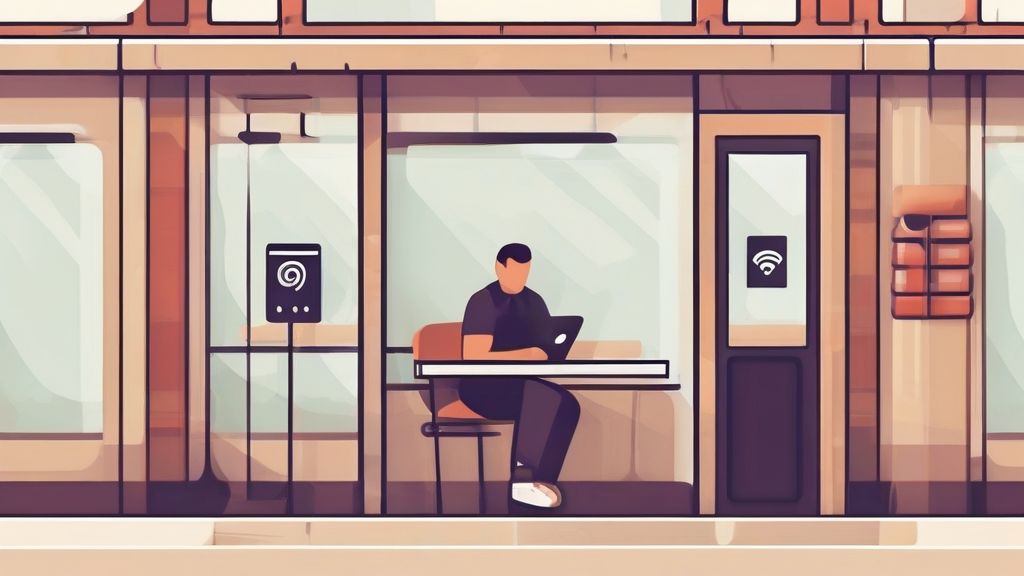
When you are traveling or grabbing a coffee, knowing how to stay safe on public wifi android devices is a skill that can save you from a major headache. We have all been there: the data signal is spotty, you need to check your email, and that "Free Airport Wi-Fi" beacon looks like a digital oasis. But before you tap that connect button, take a second to consider who else might be watching your traffic.
Key Takeaways:
- Always use a reputable VPN to encrypt your internet traffic, making it unreadable to anyone on the same network.
- Disable your phone's auto-connect feature to prevent it from latching onto malicious "rogue" access points without your knowledge.
- Avoid accessing sensitive accounts, such as online banking or private business portals, while connected to unsecured public networks.
The Hidden Dangers of Open Networks
Public Wi-Fi is essentially an open book. When you connect to a network at a cafe or an airport, you are sharing the digital airwaves with everyone else in the room. Unlike your home network, which is typically protected by a password and WPA3 encryption, public hotspots are often wide open. This creates a perfect environment for bad actors to intercept your data.
You might be wondering, "Can someone really access my phone just because I'm on the same Wi-Fi?" The answer is a resounding yes. Through techniques like a Man-in-the-Middle (MitM) attack, a hacker can position themselves between your device and the connection point. They essentially act as a silent middleman, funneling your data through their own device before it heads out to the internet. This allows them to see everything you send, from login credentials to personal messages.
Recognizing Rogue Access Points
Ever seen a network name like "Free_Airport_Wifi" that doesn't actually require a login page? That is a classic trap. Hackers often set up their own hotspots with names that sound legitimate. Once you connect, you are essentially handing them the keys to your digital kingdom. Always verify the network name with a staff member if you are at a business, or better yet, skip it entirely if it seems suspicious.
How to Stay Safe on Public Wifi Android: Your Defensive Toolkit
Protecting yourself doesn't require a degree in computer science. It just takes a bit of discipline and a few configuration tweaks on your Android device. Think of these steps as your digital armor. Once you set them up, you can browse with much more confidence.
1. Make a VPN Your Best Friend
If you take only one piece of advice from this guide, let it be this: use a Virtual Private Network. A VPN creates a secure, encrypted tunnel between your Android phone and a server. Even if a hacker manages to intercept your data, all they will see is a jumble of unreadable code. It is the single most effective way to ensure privacy on any network.
2. Stick to HTTPS Connections
You should always look for the little padlock icon in your browser's address bar. This indicates that the website is using HTTPS, which provides a layer of encryption for the data moving between your browser and the web server. While it is not as robust as a full-device VPN, it is a crucial baseline for browsing safely.
3. Turn Off Auto-Connect
Android phones are helpful, sometimes too helpful. They love to scan for and connect to saved Wi-Fi networks automatically. Go into your Wi-Fi settings and toggle off "Auto-connect to open networks." This simple change prevents your phone from jumping onto a malicious network you might have accidentally connected to in the past.
The Truth About Sensitive Transactions
People often ask, "Is it safe to use a credit card on public Wi-Fi?" If you can avoid it, the answer is a hard no. Even with a VPN, there is no reason to risk your financial data in a high-risk environment. If you absolutely must make a purchase, try to use a dedicated mobile app that offers its own layer of security, rather than entering your card details into a browser window.
If you are a business owner, you should also be cautious. Connecting to your company’s internal server via a public hotspot is a recipe for a data breach. If you need to access company files while on the move, ensure you are using a secure, company-approved VPN that authenticates your connection before allowing access to internal resources.
Strengthening Your Authentication
Passwords can be stolen. That is just the reality of the web. To mitigate this, enable Multi-Factor Authentication (MFA) on every single account you own. If a hacker manages to grab your password via a public network, they will still be blocked by that second layer of verification. It is the most reliable way to keep your accounts secure even if your credentials are compromised.
Maintaining Your Android Hygiene
Your phone is only as secure as its software. If you are running an outdated version of Android, you are leaving known security holes wide open for attackers to exploit. Always check for system updates and install them as soon as they become available. These patches often fix vulnerabilities that hackers are actively hunting for.
Additionally, keep an eye on your apps. Only download applications from the Google Play Store. Apps from third-party websites often bypass security checks and can contain malware designed to sniff out your network traffic. If you do not recognize an app, delete it. If you do not use an app, delete it. Less clutter means fewer potential entry points for a security breach.
Frequently Asked Questions (FAQ)
Can someone access my phone through public Wi-Fi?
Yes, if your phone is not properly secured, attackers on the same network can intercept your data traffic or attempt to gain unauthorized access to your device. Using a VPN and keeping your software updated significantly lowers this risk.
Is it safe to use a credit card on public Wi-Fi?
It is strongly discouraged. Public networks are inherently insecure, and even with encryption, you are increasing the risk of your financial information being intercepted. Use cellular data or a secure VPN if you must handle sensitive information.
Which is the safest way to connect to public Wi-Fi?
The safest way is to use a high-quality, reputable VPN every time you connect. Additionally, ensure you only visit HTTPS websites, disable auto-connect features, and avoid accessing banking or sensitive work-related portals while on the network.
Staying safe while mobile is all about being proactive. You don't need to be paranoid, but you do need to be smart. By following these steps—using a VPN, keeping your device updated, and being mindful of where you enter your private info—you can enjoy the convenience of connectivity without the fear of falling victim to a digital predator. Stay safe out there, and keep your connection secure.
If you like my article website, you can leave a comment here and it means a lot to me if you need it.
Post a Comment for "Public Wi-Fi Security: Essential Tips for Android Users on the Go"